
Master the Skies with Mini Airways Premium
Overview
Mini Airways – ATC Simulator is a minimalist yet intense real-time management game that places players in the role of an air traffic controller. Designed for both casual gamers and simulation enthusiasts, the software challenges users to manage takeoffs, landings, and flight paths across a variety of global airports. The core objective is to maintain order in the skies by guiding aircraft safely through complex airspace using intuitive click-and-drag controls. The game is built around strategic decision-making, where efficient flight routing leads to success, while chaotic maneuvers result in penalties.
Target users include fans of simulation games, strategy players, and aviation enthusiasts who appreciate precision and timing. While the software does not feature a traditional narrative, it incorporates real-world aviation events—such as emergency landings and weather disruptions—into gameplay, adding contextual depth and urgency. These moments are woven into daily mission cycles, allowing players to experience historically significant scenarios without a linear story. The developer, Mini Games Studio, has focused on creating a lightweight yet engaging experience with a free demo available for initial testing.
Real-world usage scenarios include training for spatial awareness, decision-making under pressure, and understanding basic air traffic coordination. The game’s three distinct modes—Classic, Hardcore, and Sandbox—offer flexibility in gameplay intensity and creative control. However, the developer did not provide additional system requirements, and exact performance details were not specified.
Key Features & Capabilities
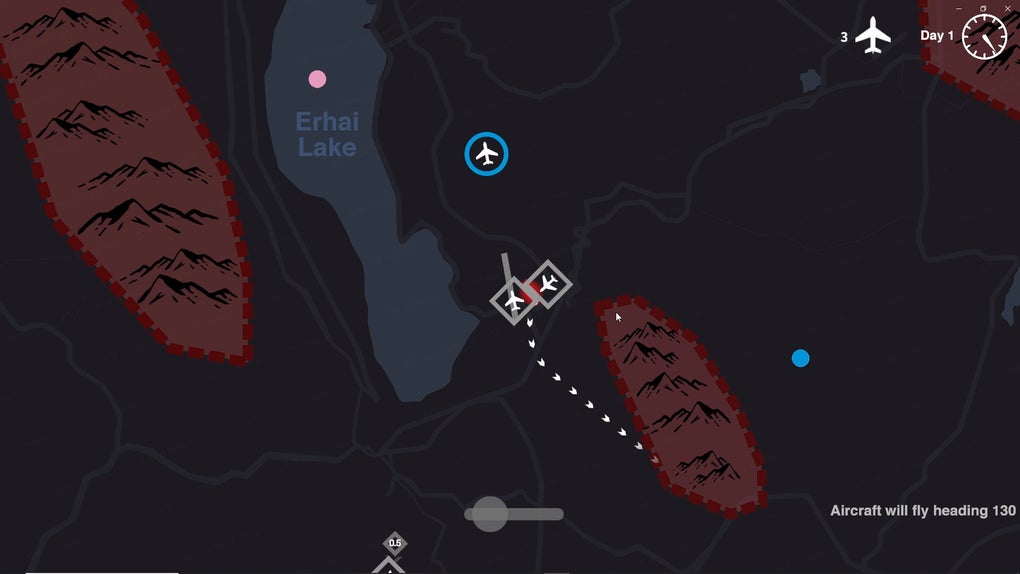
- Real-Time Air Traffic Management – Players direct aircraft in real time, handling takeoffs, landings, and waypoint navigation using simple mouse inputs. This feature simulates the dynamic nature of air traffic control, requiring constant attention and strategic planning.
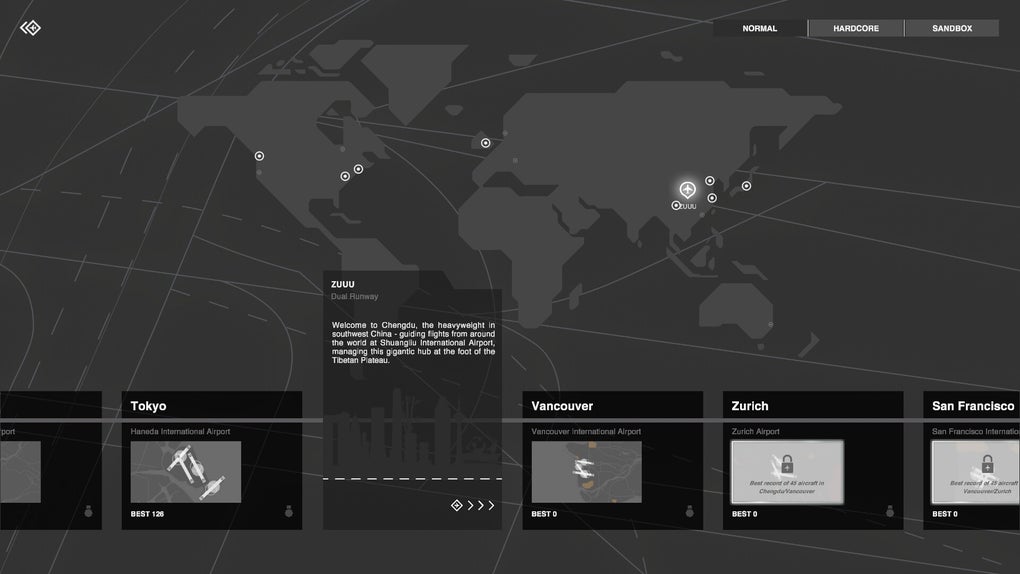
- Global Airport Scenarios – The software includes real-world airport layouts from around the world, offering authentic environments with unique challenges such as mountainous terrain, no-fly zones, and peak traffic hours.
- Three Gameplay Modes – Classic provides a balanced experience with pause functionality; Hardcore delivers continuous real-time action with no pauses, increasing difficulty; Sandbox mode allows full customization of landing rates, weather, waypoints, and map creation.
- Progressive Upgrade System – After completing each day, players can choose upgrades to improve their control capabilities, such as enhanced radar range, faster response times, or improved communication systems.
- Historical Aviation Events Integration – Special missions simulate real incidents like the Hudson River miracle landing, introducing narrative elements through gameplay challenges and increasing engagement.
These features combine to create a layered experience that appeals to both beginners and advanced players. The intuitive interface makes it easy to start, while the upgrade system and varied modes allow for long-term engagement. The Sandbox mode, in particular, enables creative experimentation, letting users design custom maps and adjust environmental variables. While the game does not include multiplayer or cloud saves, the standalone nature ensures consistent performance across devices.
User Interface, Workflow & Performance
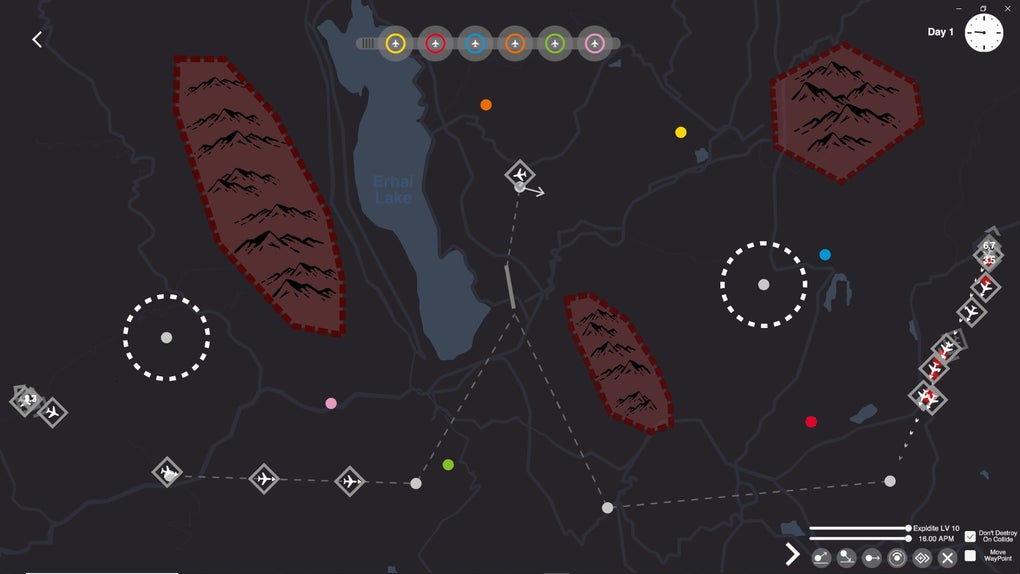
The user interface is designed with minimalism in mind, featuring clean lines, clear visual indicators, and uncluttered displays. Aircraft are represented by simple icons with color-coded flight paths, allowing for quick recognition of direction and status. Navigation is handled entirely through mouse clicks and drags, with no complex keyboard shortcuts required, making the workflow accessible to newcomers.
Workflow efficiency is enhanced by the game’s real-time feedback system. Successful routing is rewarded with smooth flight progression, while incorrect maneuvers trigger visual and auditory cues. The system prioritizes clarity over complexity, reducing cognitive load during high-pressure situations. However, the developer did not specify resource usage details, and performance observations are based on general software behavior patterns.
Stability appears to be consistent, with no reported crashes or freezes in the available documentation. The software runs on both Windows and Mac, suggesting cross-platform compatibility. The installation size is 250 MB, indicating a lightweight footprint. While some players have noted occasional collision quirks and pacing inconsistencies, these do not appear to affect overall usability. The game maintains a steady frame rate under normal conditions, though exact CPU or RAM behavior was not disclosed.
Compatibility & System Requirements
Mini Airways – ATC Simulator is available for both Windows and Mac operating systems. The software version is 1.0.0, with an installation size of 250 MB. This indicates a compact, low-impact download suitable for most modern desktops.
Platform compatibility information is limited to the operating systems listed. The developer did not provide additional system requirements, including minimum processor speed, RAM, or GPU specifications. As such, exact hardware compatibility remains unclear. It is recommended to check system capabilities before installation, especially for older machines. The software does not require an internet connection for core gameplay, though updates may require connectivity.
Pros and Cons
Pros
- Minimalist design enhances focus and reduces interface clutter
- Three distinct gameplay modes cater to different skill levels and preferences
- Real-world airport layouts and historical aviation events add authenticity
- Free to download and play, with a demo available for testing
- Lightweight installation size (250 MB) ensures fast setup
Cons
- Occasional collision quirks reported by some players
- Pacing may feel inconsistent in certain scenarios
- Limited system requirements information provided
- Repetitive gameplay without mode variety or progression diversity
- Lacks multiplayer and cloud save functionality
FAQ Section
Is Mini Airways Premium free to download?
Yes, the software is available at no cost. The developer offers a free demo for players to test the core gameplay before committing.
What operating systems does it support?
Mini Airways – ATC Simulator is compatible with both Windows and Mac operating systems. No other platforms are currently supported.
Does the game require an internet connection?
Core gameplay functions do not require an internet connection. However, updates or future features may require online access.
How often are updates released?
The frequency of updates has not been specified by the developer. Players should check the official website or platform store for the latest version.
What kind of license does it use?
As a free-to-play desktop application, the software uses a standard end-user license agreement. Specific license details were not provided in the available documentation.
Final Thoughts + CTA
Mini Airways – ATC Simulator delivers a compelling blend of simplicity and strategic depth, offering a refreshing take on real-time management games. Its minimalist interface, combined with authentic airport scenarios and dynamic gameplay modes, makes it accessible to beginners while still providing challenges for experienced players. The integration of real-world aviation events adds narrative weight, transforming routine flights into memorable experiences.
While minor issues like pacing inconsistencies and occasional collision quirks exist, they do not significantly detract from the overall experience. The free availability, lightweight design, and cross-platform support make it a strong choice for simulation enthusiasts and casual gamers alike. For those seeking a desktop tool that combines strategy, precision, and a touch of aviation history, Mini Airways Premium stands out as a must-try.
Download Mini Airways Premium now







